Keywords


 4'43", 20Mb

The venerable desktop metaphor is beginning to show signs of strain in supporting modern knowledge work. In this paper, we examine how the desktop metaphor can be re-framed, shifting the focus away from a low-level (and increasingly obsolete) focus on documents and applications to an interface based upon the creation of and interaction with manually declared, semantically meaningful activities. We begin by unpacking some of the foundational assumptions of desktop interface design, describe an activity-based model for organizing the desktop interface based on theories of cognition and observations of real-world practice, and identify a series of high-level system requirements for interfaces that use activity as their primary organizing principle. Based on these requirements, we present the novel interface design of the Giornata system, a prototype activity-based desktop interface, and share initial findings from a longitudinal deployment of the Giornata system in a real-world setting.


 5'59", 22Mb
  4'43", 20Mb
 The venerable desktop metaphor is beginning to show signs of strain in supporting modern knowledge work. In this paper, we examine how the desktop metaphor can be re-framed, shifting the focus away from a low-level (and increasingly obsolete) focus on documents and applications to an interface based upon the creation of and interaction with manually declared, semantically meaningful activities. We begin by unpacking some of the foundational assumptions of desktop interface design, describe an activity-based model for organizing the desktop interface based on theories of cognition and observations of real-world practice, and identify a series of high-level system requirements for interfaces that use activity as their primary organizing principle. Based on these requirements, we present the novel interface design of the Giornata system, a prototype activity-based desktop interface, and share initial findings from a longitudinal deployment of the Giornata system in a real-world setting.
4'43", 20Mb The venerable desktop metaphor is beginning to show signs of strain in supporting modern knowledge work. In this paper, we examine how the desktop metaphor can be re-framed, shifting the focus away from a low-level (and increasingly obsolete) focus on documents and applications to an interface based upon the creation of and interaction with manually declared, semantically meaningful activities. We begin by unpacking some of the foundational assumptions of desktop interface design, describe an activity-based model for organizing the desktop interface based on theories of cognition and observations of real-world practice, and identify a series of high-level system requirements for interfaces that use activity as their primary organizing principle. Based on these requirements, we present the novel interface design of the Giornata system, a prototype activity-based desktop interface, and share initial findings from a longitudinal deployment of the Giornata system in a real-world setting.
 5'02", 33Mb
 In this paper we present novel input devices that combine the standard capabilities of a computer mouse with multi-touch sensing. Our goal is to enrich traditional pointer-based desktop interactions with touch and gestures. To chart the design space, we present five different multi-touch mouse implementations. Each explores a different touch sensing strategy, which leads to differing form-factors and hence interactive possibilities. In addition to the detailed description of hardware and software implementations of our prototypes, we discuss the relative strengths, limitations and affordances of these novel input devices as informed by the results of a preliminary user study.

 6'10", 147Mb
 3'08", 53Mb
  2'54", 21Mb 5'59", 22Mb
  3'02", 47Mb
 Triggering shortcuts or actions on a mobile device often requires a long sequence of key presses. Because the functions of buttons are highly dependent on the current application's context, users are required to look at the display during interaction, even in many mobile situations when eyes-free interactions may be preferable. We present Virtual Shelves, a technique to trigger programmable shortcuts that leverages the user's spatial awareness and kinesthetic memory. With Virtual Shelves, the user triggers shortcuts by orienting a spatially-aware mobile device within the circular hemisphere in front of her. This space is segmented into definable and selectable regions along the phi and theta planes. We show that users can accurately point to 7 regions on the theta and 4 regions on the phi plane using only their kinesthetic memory. Building upon these results, we then evaluate a proof-of-concept prototype of the Virtual Shelves using a Nokia N93. The results show that Virtual Shelves is faster than the N93's native interface for common mobile phone tasks.

Modern mobile phones can store a large amount of data, such as contacts, applications and music. However, it is difficult to access specific data items via existing mobile user interfaces. In this paper, we present Gesture Search, a tool that allows a user to quickly access various data items on a mobile phone by drawing gestures on its touch screen. Gesture Search contributes a unique way of combining gesture-based interaction and search for fast mobile data access. It also demonstrates a novel approach for coupling gestures with standard GUI interaction. A real world deployment with mobile phone users showed that Gesture Search enabled fast, easy access to mobile data in their day-to-day lives. Gesture Search has been released to public and is currently in use by hundreds of thousands of mobile users. It was rated positively by users, with a mean of 4.5 out of 5 for over 5000 ratings.
 5'35", 71Mb
  4'06", 29Mb
  6'11", 64Mb

A proactive display is an application that selects content to display based on the set of users who have been detected nearby. For example, the Ticket2Talk [17] proactive display application presented content for users so that other people would know something about them.
It is our view that promising patterns for proactive display applications have been discovered, and now we face the need for frameworks to support the range of applications that are possible in this design space.
In this paper, we present the Proactive Display (ProD) Framework, which allows for the easy construction of proactive display applications. It allows a range of proactive display applications, including ones already in the literature. ProD also enlarges the design space of proactive display systems by allowing a variety of new applications that incorporate different views of social life and community.


We present Collabio, a social tagging game within an online social network that encourages friends to tag one another. Collabio's approach of incentivizing members of the social network to generate information about each other produces personalizing information about its users. We report usage log analysis, survey data, and a rating exercise demonstrating that Collabio tags are accurate and augment information that could have been scraped online.
 4'19", 30Mb
 Sphere is a multi-user, multi-touch-sensitive spherical display in which an infrared camera used for touch sensing shares the same optical path with the projector used for the display. This novel configuration permits: (1) the enclosure of both the projection and the sensing mechanism in the base of the device, and (2) easy 360-degree access for multiple users, with a high degree of interactivity without shadowing or occlusion. In addition to the hardware and software solution, we present a set of multi-touch interaction techniques and interface concepts that facilitate collaborative interactions around Sphere. We designed four spherical application concepts and report on several important observations of collaborative activity from our initial Sphere installation in three high-traffic locations.
5'02", 33Mb In this paper we present novel input devices that combine the standard capabilities of a computer mouse with multi-touch sensing. Our goal is to enrich traditional pointer-based desktop interactions with touch and gestures. To chart the design space, we present five different multi-touch mouse implementations. Each explores a different touch sensing strategy, which leads to differing form-factors and hence interactive possibilities. In addition to the detailed description of hardware and software implementations of our prototypes, we discuss the relative strengths, limitations and affordances of these novel input devices as informed by the results of a preliminary user study.
 3'13", 50Mb
 This note examines the role traditional input devices can play in surface computing. Mice and keyboards can enhance tabletop technologies since they support high fidelity input, facilitate interaction with distant objects, and serve as a proxy for user identity and position. Interactive tabletops, in turn, can enhance the functionality of traditional input devices: they provide spatial sensing, augment devices with co-located visual content, and support connections among a plurality of devices. We introduce eight interaction techniques for a table with mice and keyboards, and we discuss the design space of such interactions.
 3'31", 19Mb
 PhoneTouch is a novel technique for integration of mobile phones and interactive surfaces. The technique enables use of phones to select targets on the surface by direct touch, facilitating for instance pick&drop-style transfer of objects between phone and surface. The technique is based on separate detection of phone touch events by the surface, which determines location of the touch, and by the phone, which contributes device identity. The device-level observations are merged based on correlation in time. We describe a proof-of-concept implementation of the technique, using vision for touch detection on the surface (including discrimination of finger versus phone touch) and acceleration features for detection by the phone.
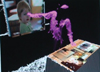 4'56", 42Mb
 Instrumented with multiple depth cameras and projectors, LightSpace is a small room installation designed to explore a variety of interactions and computational strategies related to interactive displays and the space that they inhabit. LightSpace cameras and projectors are calibrated to 3D real world coordinates, allowing for projection of graphics correctly onto any surface visible by both camera and projector. Selective projection of the depth camera data enables emulation of interactive displays on un-instrumented surfaces (such as a standard table or office desk), as well as facilitates mid-air interactions between and around these displays. For example, after performing multi-touch interactions on a virtual object on the tabletop, the user may transfer the object to another display by simultaneously touching the object and the destination display. Or the user may "pick up" the object by sweeping it into their hand, see it sitting in their hand as they walk over to an interactive wall display, and "drop" the object onto the wall by touching it with their other hand. We detail the interactions and algorithms unique to LightSpace, discuss some initial observations of use and suggest future directions.
 3'01", 47Mb
  3'08", 45Mb
 6'08", 101Mb 6'10", 147Mb
  3'55", 47Mb
  1'51", 29Mb


 7'21", 92Mb
 3'01", 30Mb
  1'40", 15Mb
  5'00", 32Mb
In this paper, we present a methodology for recognizing seatedpostures using data from pressure sensors installed on a chair.Information about seated postures could be used to help avoidadverse effects of sitting for long periods of time or to predictseated activities for a human-computer interface. Our system designdisplays accurate near-real-time classification performance on datafrom subjects on which the posture recognition system was nottrained by using a set of carefully designed, subject-invariantsignal features. By using a near-optimal sensor placement strategy,we keep the number of required sensors low thereby reducing costand computational complexity. We evaluated the performance of ourtechnology using a series of empirical methods including (1)cross-validation (classification accuracy of 87% for ten posturesusing data from 31 sensors), and (2) a physical deployment of oursystem (78% classification accuracy using data from 19sensors).
A proactive display is an application that selects content to display based on the set of users who have been detected nearby. For example, the Ticket2Talk [17] proactive display application presented content for users so that other people would know something about them.
It is our view that promising patterns for proactive display applications have been discovered, and now we face the need for frameworks to support the range of applications that are possible in this design space.
In this paper, we present the Proactive Display (ProD) Framework, which allows for the easy construction of proactive display applications. It allows a range of proactive display applications, including ones already in the literature. ProD also enlarges the design space of proactive display systems by allowing a variety of new applications that incorporate different views of social life and community.
4'56", 42Mb Instrumented with multiple depth cameras and projectors, LightSpace is a small room installation designed to explore a variety of interactions and computational strategies related to interactive displays and the space that they inhabit. LightSpace cameras and projectors are calibrated to 3D real world coordinates, allowing for projection of graphics correctly onto any surface visible by both camera and projector. Selective projection of the depth camera data enables emulation of interactive displays on un-instrumented surfaces (such as a standard table or office desk), as well as facilitates mid-air interactions between and around these displays. For example, after performing multi-touch interactions on a virtual object on the tabletop, the user may transfer the object to another display by simultaneously touching the object and the destination display. Or the user may "pick up" the object by sweeping it into their hand, see it sitting in their hand as they walk over to an interactive wall display, and "drop" the object onto the wall by touching it with their other hand. We detail the interactions and algorithms unique to LightSpace, discuss some initial observations of use and suggest future directions.
 3'37", 45Mb 7'21", 92Mb
  1'55", 52Mb
  4'59", 61Mb 4'59", 61Mb